We are proud to announce the newest version of TerminalDrome 0.9.0 now with
Playlist-Support directly in the TUI. You can add a song with Shift+A
and then create a new Playlist with Shift+N or add it to an existing List.
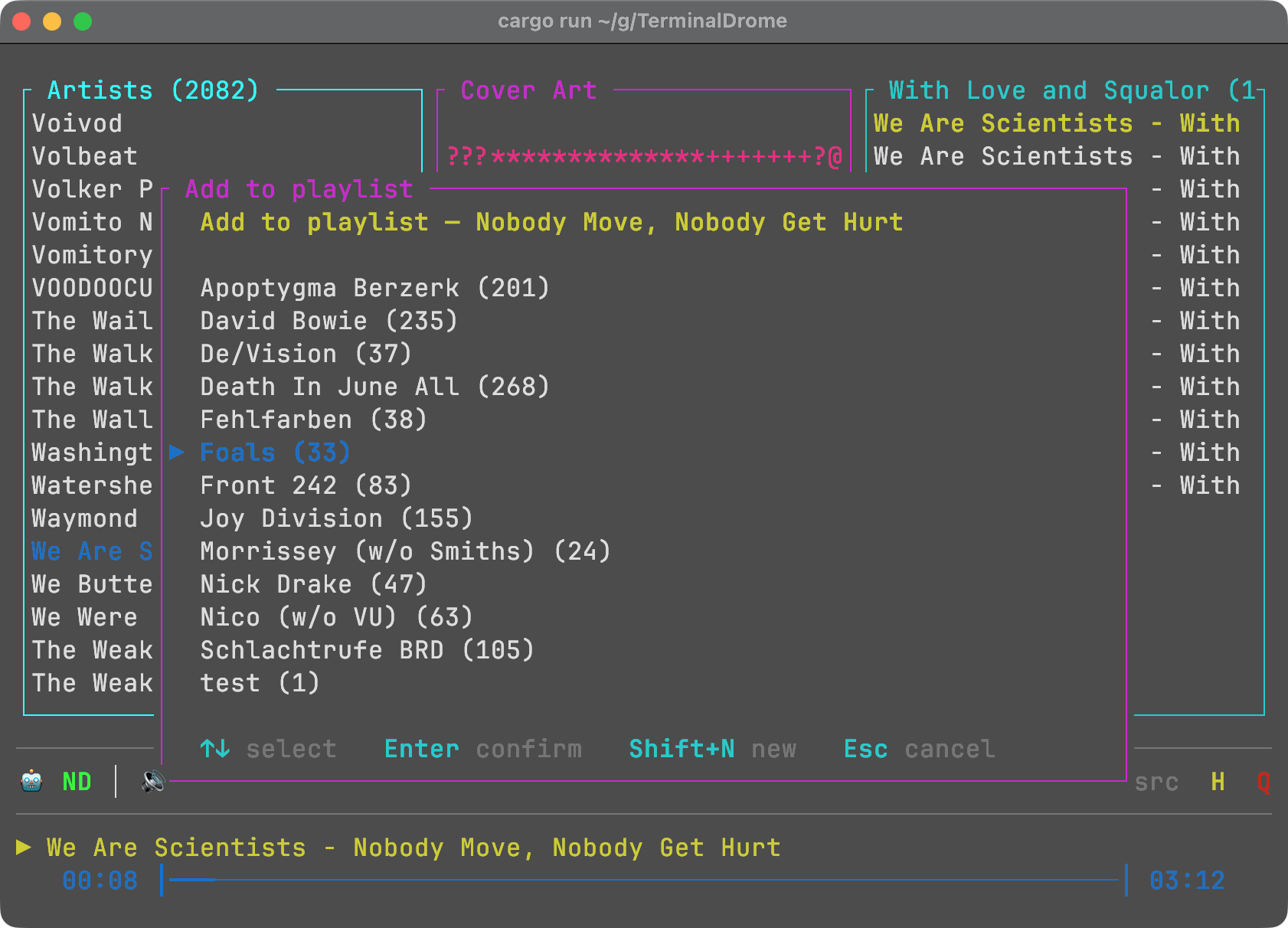
You can install via
cargo install terminaldrome
or clone the repo
git clone https://github.com/thafaker/TerminalDrome.git
and then
cargo run
Here is a Beginners Guide for you to read. It contains everything from setting TerminalDrome up til trouble shooting.
Features
New in 0.9.0
- 📋 Playlist management — TerminalDrome is no longer read-only. You can now create playlists, add songs to them, and remove individual tracks.
- Press
awhile any song is playing to open the playlist picker. - Press
Shift+Ninside the picker to create a new playlist on the fly — the current song is added automatically. - Press
din the playlist view to remove the selected song from the playlist. - Works with both Navidrome and Bandcamp backends.
- Press
- 🖥 Fullscreen help — the help screen (
Shift+H) now uses the entire terminal and splits into two columns, so every shortcut fits comfortably even on an 80×24 terminal. - 📏 Context-sensitive status bar — the bottom line shows only the keys that apply to the current view. Universal keys (
H,Q) stay right-aligned at all times.
All Features
- 📋 Playlist editing — create playlists, add and remove tracks from inside the TUI
- 🎼 Song info overlay (
Shift+I) with bitrate, format, file size, and play counts - 📊 Local play counter — tracks your plays across sessions, per source
- 🎵 Browse artists, albums, and songs from your Navidrome server
- 🎸 Optional Bandcamp source (Subsonic-compatible endpoint)
- 🔀 Shuffle any album or playlist with
Shift+S(Fisher-Yates shuffle, restarts playback from the new order) - 🎉 Jukebox / Party Mode (
Shift+J) — infinite random playback of your full library, auto-refilling in the background - 🖼️ ASCII cover art rendered directly in the terminal
- 🔍 Full-text search across your music library
- ⌨️ Keyboard-driven navigation with quick A–Z jump
- 🔊 Volume control (
+/-) and mute toggle (m) - ⏭️ Next / previous track (
n/p), stop (Space) - ❤️ Like songs (
Shift+L) - 📡 Scrobbling support — marks songs as played in Navidrome
- 🔒 Token-based auth (Subsonic API ≥ 1.13.0 — your password is never sent in plaintext)
- 💾 Persistent state — remembers your last position between sessions
- 🎛️ Source switching —
Shift+Btoggles between Navidrome and Bandcamp